Data entry for your PostgreSQL database
Turn your existing Postgres tables into data entry forms, spreadsheet-like sheets and reports your whole team can use. No code required.
Free plan for up to 5 users. Cloud or self-hosted.
From Postgres to data entry in minutes
Works with Neon, Amazon RDS, Google Cloud SQL, AlloyDB, Azure and self-managed PostgreSQL.
- 1
Connect your Postgres database
Enter the host name, database user and password. Visual DB stores the password in encrypted form. If your provider restricts IP addresses, allow the one shown in the connection dialog.
- 2
Choose the data
Pick tables with the visual query builder, with AI assistance if you want it, or write a custom query. Add parameters so users can pull up exactly the records they need.
- 3
Build a form, sheet or report
Lay it out with drag-and-drop, set validation rules, and invite your team. They enter and update records without writing SQL.
Database on localhost or your intranet? Self-host Visual DB with Docker.
A friendly GUI for PostgreSQL data
PostgreSQL form builder
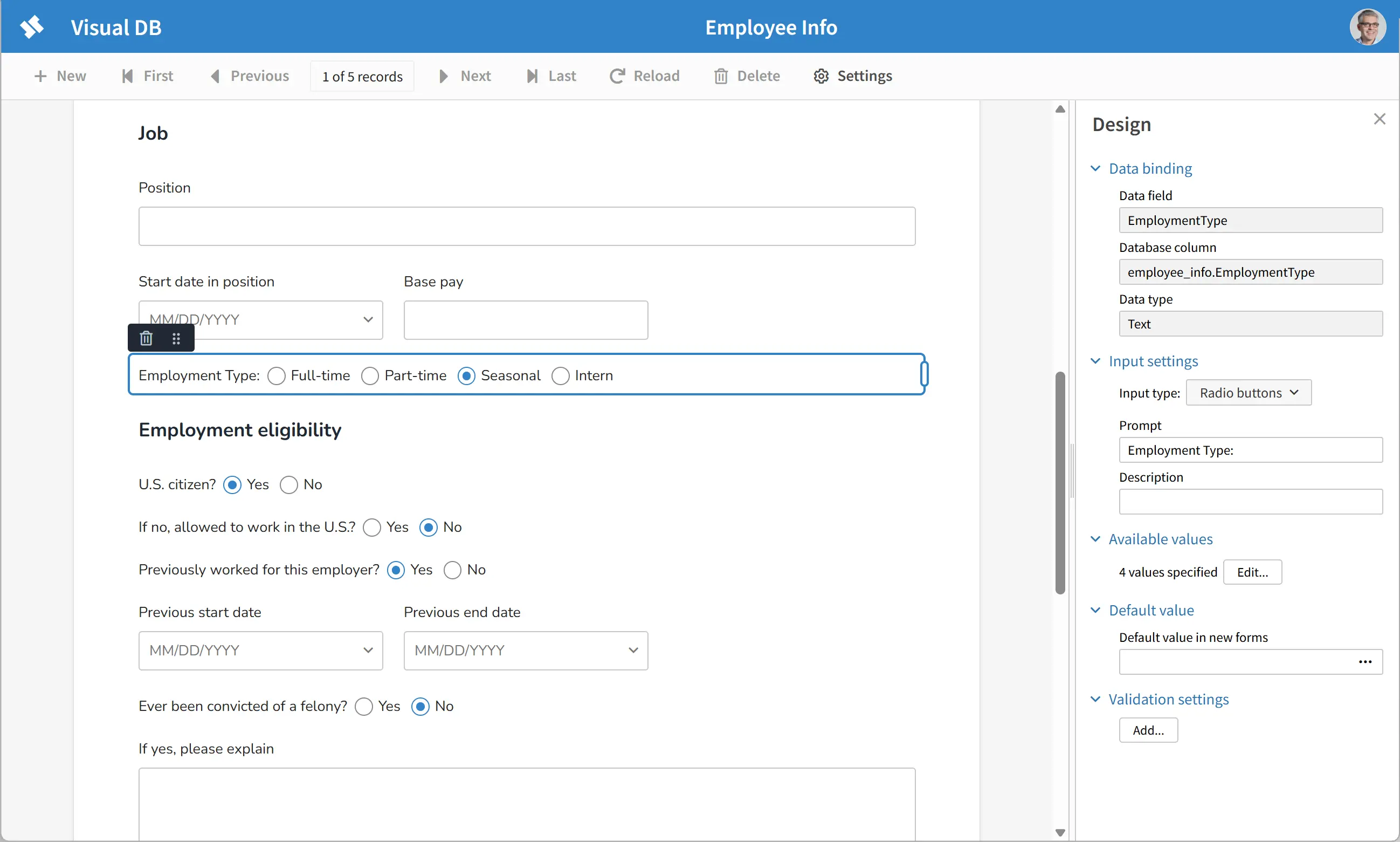
Create data entry forms with full create, query, update and delete support. AI places fields, groups related ones and adds section titles. Smart guides help you fine-tune the layout.
Add dropdowns, default values, field validation and conditional logic to show or hide inputs. When a foreign key must be filled in, Visual DB helps the user find the record to link to.
Edit Postgres data like a spreadsheet
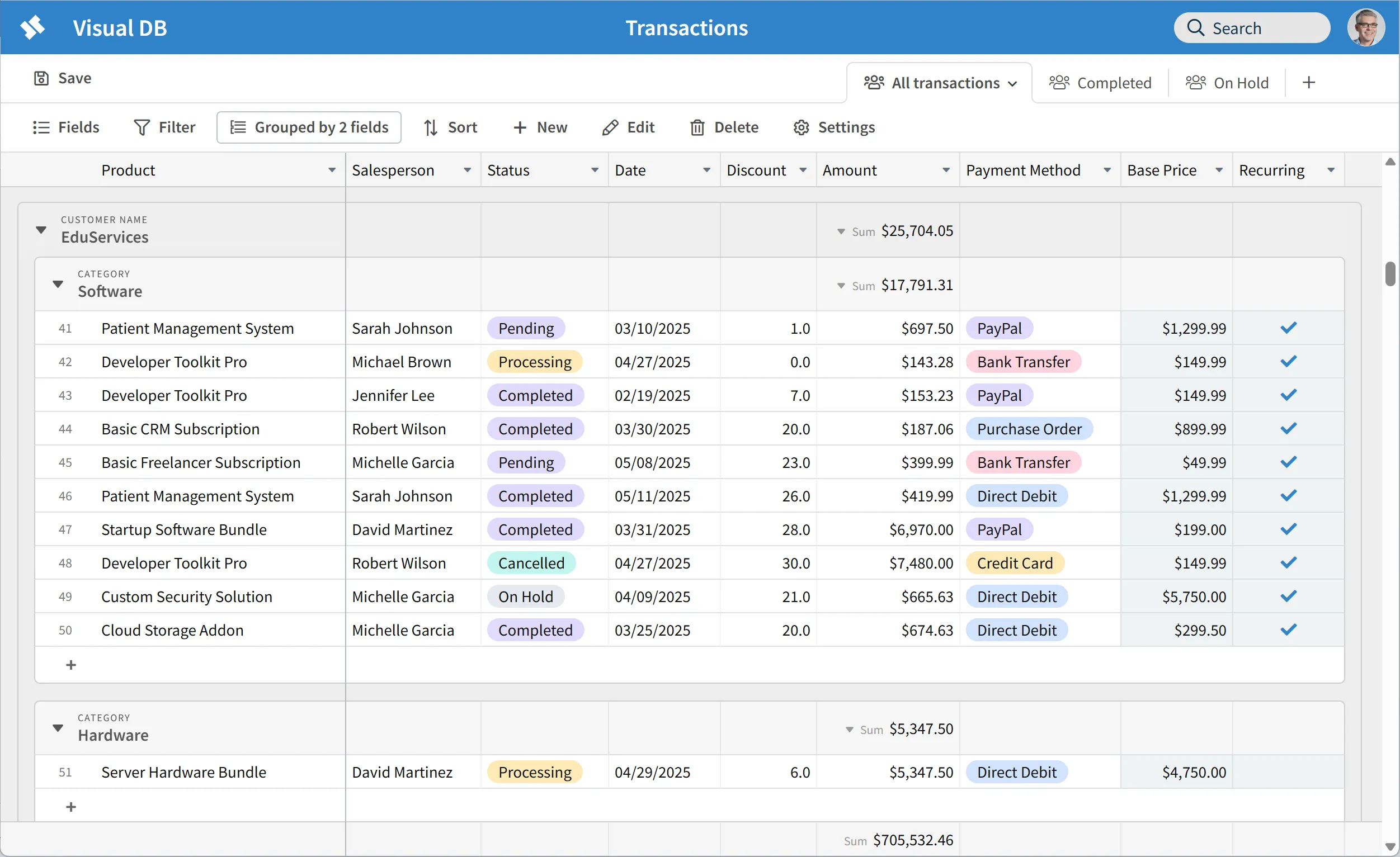
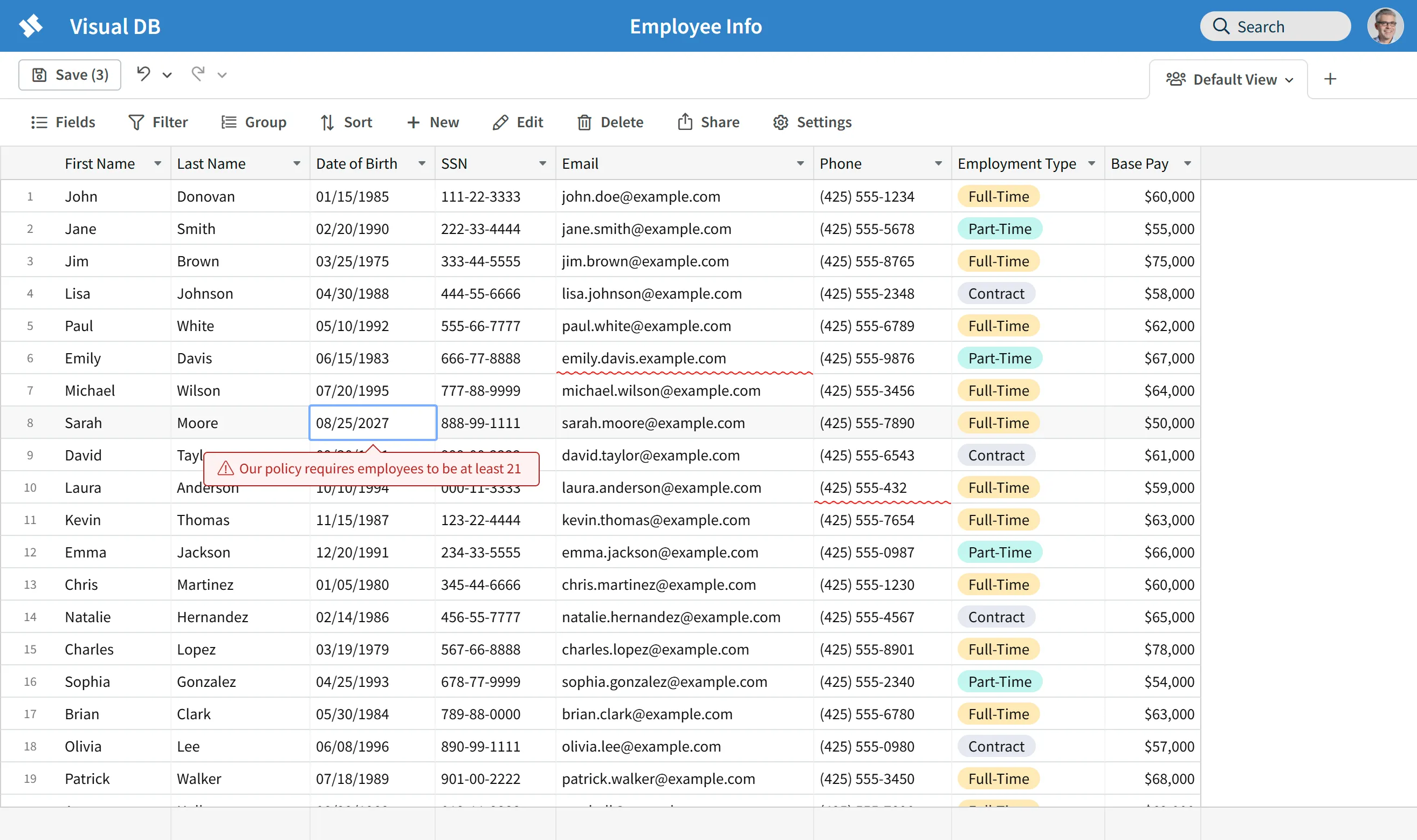
Visual DB sheets let your team scan, sort, group, filter and edit rows in a familiar grid, with find-as-you-type search and conditional coloring.
Invalid cells are marked with a red squiggly underline, and a record is not saved until its validation errors are corrected.
Master-detail forms
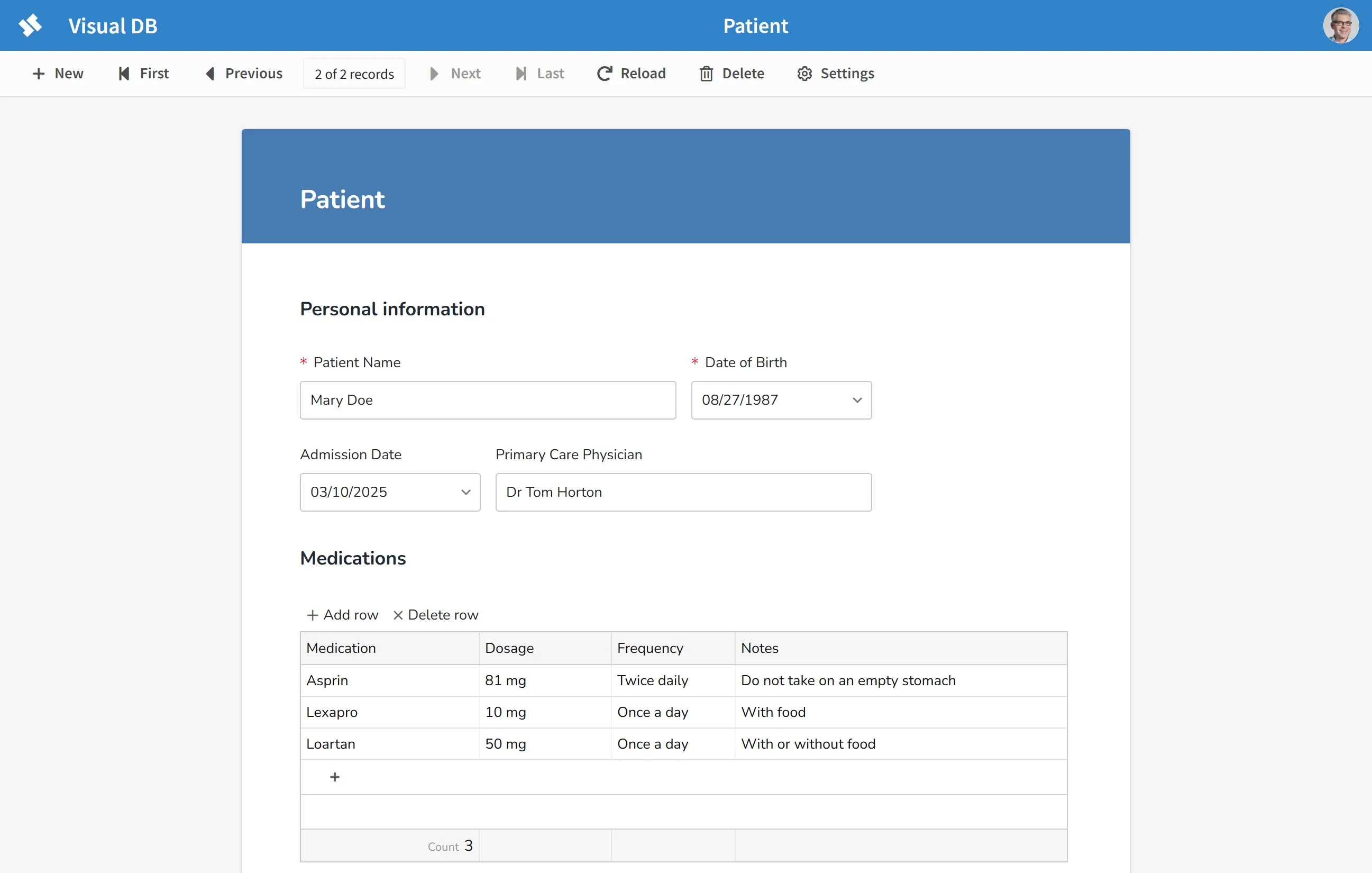
Edit customers and their orders, projects and their tasks, or invoices and their line items on one screen. The master record sits at the top with related rows in a grid below.
Master and detail rows are committed in a single transaction, so an order is never saved without its order items.
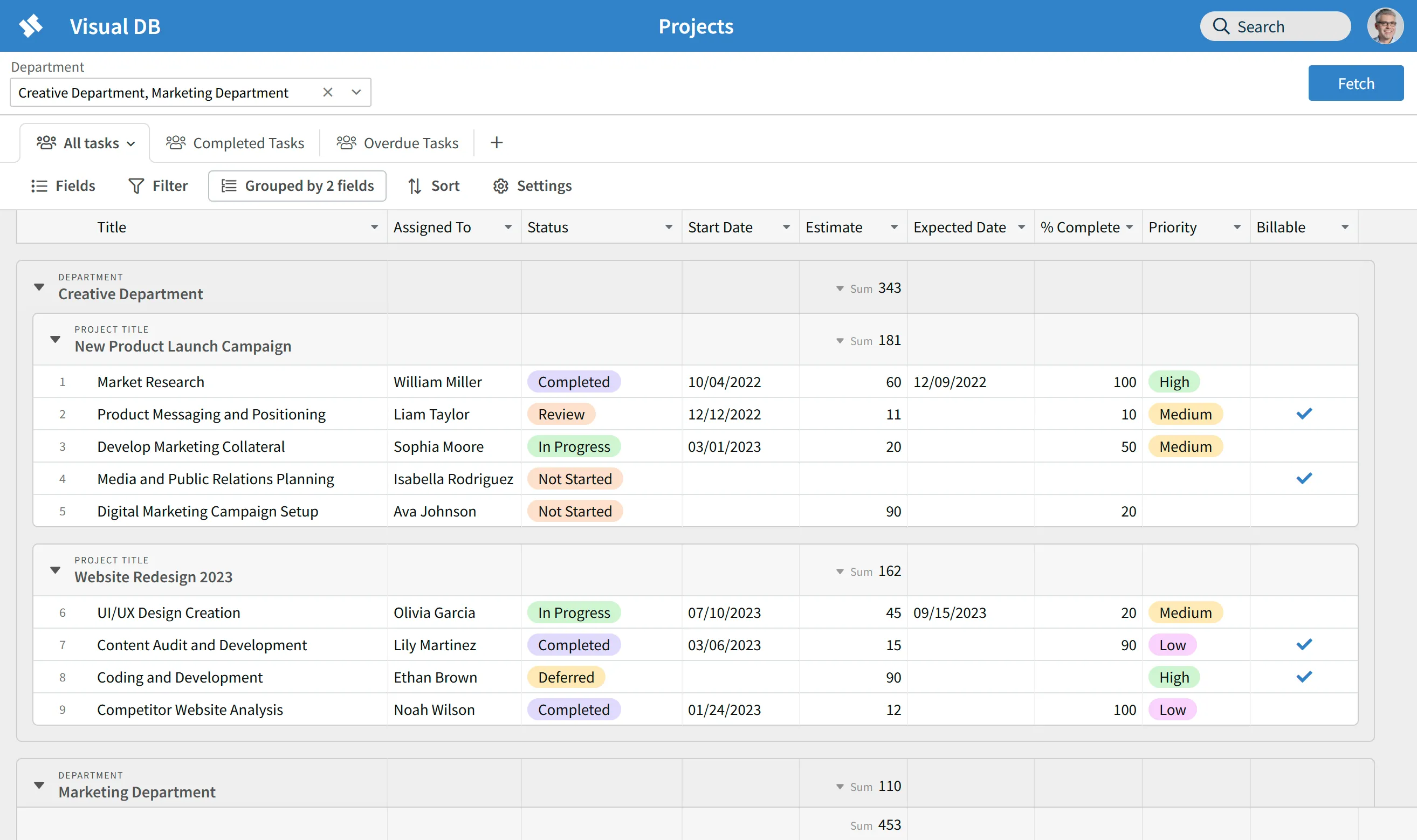
Reports on your PostgreSQL data
Business users can group, filter and sort reports on their own, apply query parameters such as region or date range, and summarize results with charts.
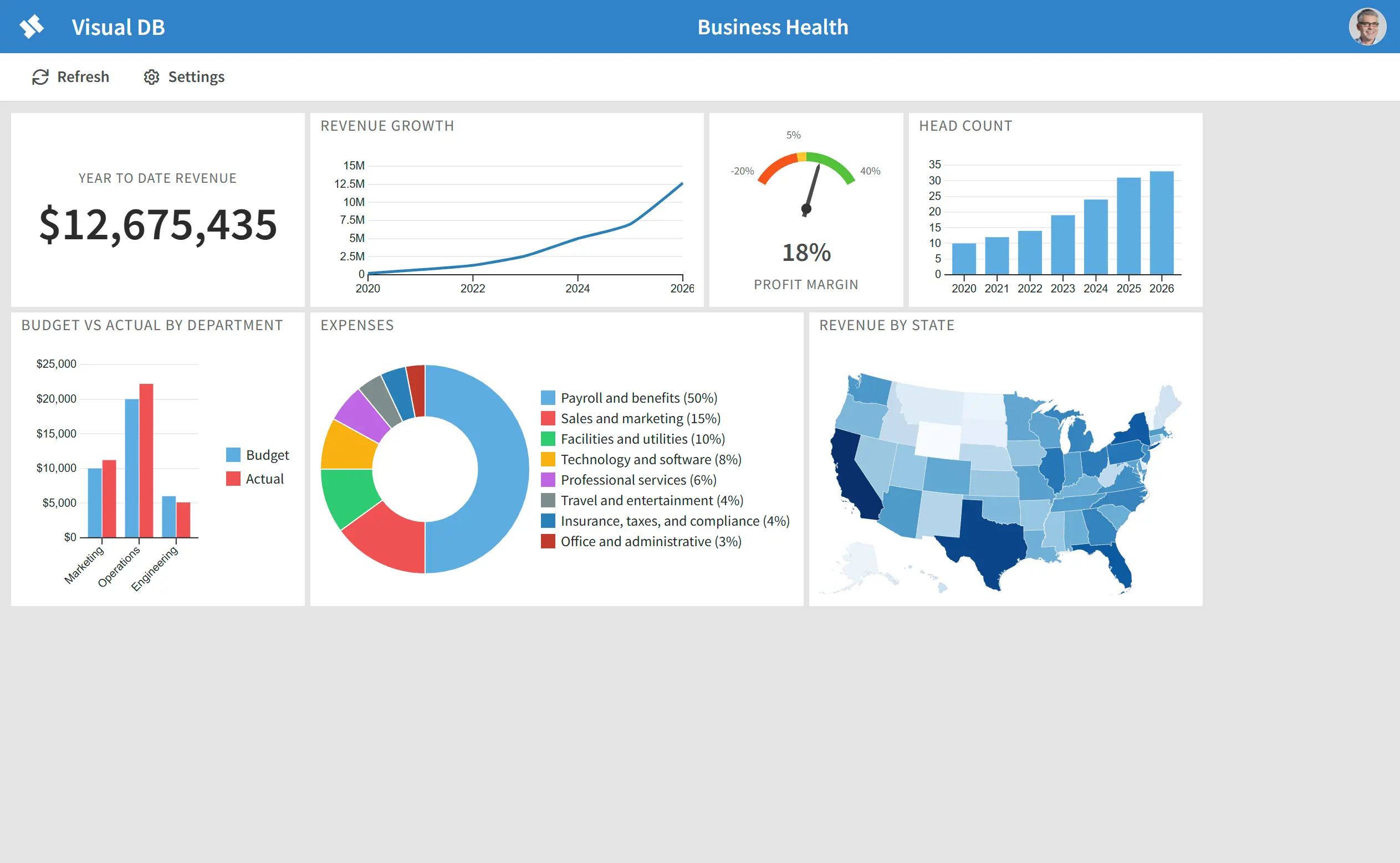
Dashboards that query Postgres directly
Arrange charts, gauges and KPI tiles with drag-and-drop. Dashboards query your database directly, with no data pipelines or sync delays.
Database-grade reliability and security
No silent overwrites
Visual DB is built for multi-user databases. It will not overwrite another user's changes. Read about concurrency control.
Bring your own database
Your data stays in your PostgreSQL database, available to your other applications and tools. Database passwords are encrypted before storage.
Self-host if you prefer
Keep data traffic inside your own network, with no need to expose your database to the internet. This helps you meet requirements such as HIPAA. Data security details.
PostgreSQL row-level security
Share one table while each user sees and updates only their own rows. Visual DB passes the signed-in user's email to Postgres, and your RLS policies do the filtering inside the database.
ALTER TABLE opportunities ENABLE ROW LEVEL SECURITY;

CREATE POLICY salesperson_opportunities ON opportunities
FOR ALL
USING (owner_email =
    current_setting('app.current_user_email', true))
WITH CHECK (owner_email =
    current_setting('app.current_user_email', true));
Keep pgAdmin. Add data entry.
pgAdmin is built for managing PostgreSQL. Visual DB is built for the people who work with the data in it.
| Capability | pgAdmin | Visual DB |
|---|---|---|
| Primary purpose | Administering and developing PostgreSQL databases | Data entry and reporting for business users |
| Editing rows | View/Edit Data grid | Sheets and forms with validation rules |
| Drag-and-drop data entry forms | Not its focus | Yes, including master-detail forms |
| Reporting | Server activity dashboards and query result graphs | Interactive reports and business dashboards |
| Typical user | DBA or developer | Anyone on your team, no SQL needed |
PostgreSQL and pgAdmin are the property of their respective owners.
Visual DB is an independent product and is not endorsed by the PostgreSQL or pgAdmin projects.
Customer spotlight
“We're using Visual DB to make it easy and comfortable for our non-technical users to enter their business data into the DB. Visual DB provides a very nice web UI/UX. It's easy to use for the end user and contains all functionality we require. We were able to setup everything with minimal effort and no development at all. Everything comes out of the box (SaaS – no installation required) and is ready to use.”
Simple, transparent pricing
Start free and scale as you grow. No hidden fees, no surprises.
Free
Perfect for getting started
- Unlimited forms, sheets and reports
- Up to 10,000 records (unlimited if self-hosted)
- Role-based access control
- Every feature included
- Limit of 5 users
Business
per user/month
5 users minimum
- Everything in Free
- Display up to 100,000 records at a time
- No limit to number of records in database
- No limit to number of users
- Priority support
14-day free trial
Did you know small teams can self-host Visual DB for free?
Learn more about self-hosting →Frequently Asked Questions
Put a front end on your Postgres database
Connect your database and build your first form today.
Get Started Free